
Part I decided. Part II measures, and it starts with the one fact about your estate that carries a vendor's signature instead of your own: what versions you are running, and what dates Microsoft has already attached to them.
What are you actually running, and how long does each piece legally have to live?
Every other pressure on a migration is negotiable: budgets move, sponsors change, scope bends. A support end date does not negotiate, which is why this measurement opens the part of the book about what exists. It is also the cheapest chapter to get right and the most expensive to get wrong, because a wrong answer here does not fail loudly; it fails in eighteen months, as an unsupported farm holding your legal records.
The version is a build number, not a product name
"We are on SharePoint 2016" is a sentence about a purchase. The measurement is a build number, and the difference matters twice:
- Patch level decides what an upgrade will accept. The database attach path to Subscription Edition has a minimum accepted build; a farm below it patches first, migrates second, and that ordering is a calendar entry someone must own.
- Patch level tells you how the farm has been kept. A farm years behind on public updates is evidence about operations, and the rest of Part II reads it as such. Record what you find, not what the standard build should have been.
Read the build from Central Administration or from the farm's own properties, per farm, and write it beside the date you read it. A version measured once and copied forward becomes a rumour with formatting; the number is only evidence with a date on it.
The dates that are already signed
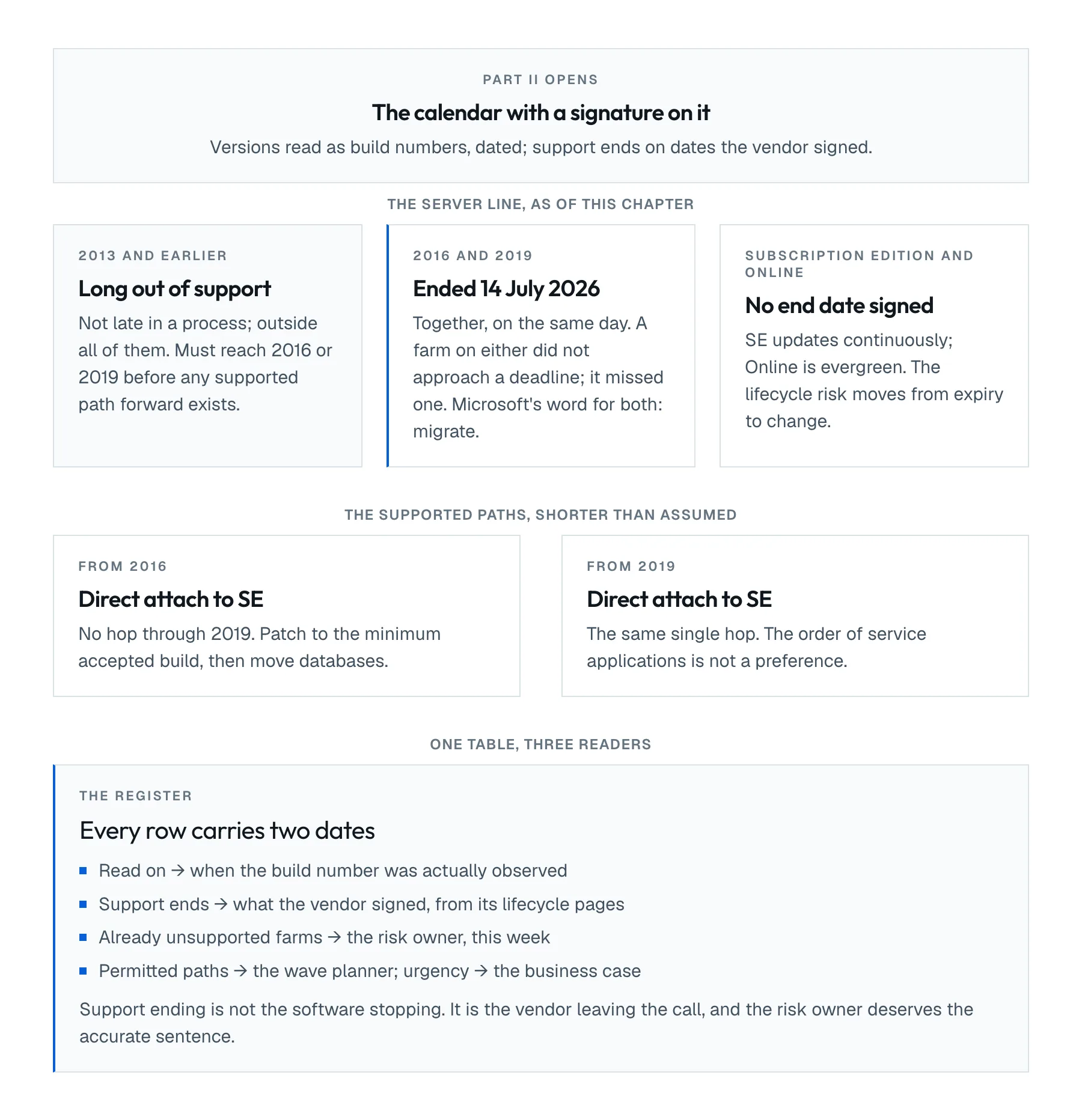
As this chapter is written, the lifecycle table for the server products is short and brutal. SharePoint Server 2016 and 2019 both reached end of support on 14 July 2026; Microsoft's lifecycle pages carry the dates, and its guidance for both is the same word: migrate. SharePoint Server Subscription Edition has no end date and receives continuous updates. Everything older than 2016 left support years ago, and a farm still running it is not late in a process; it is outside all of them.
Three readings of the same table, because three different people in your project need it:
| Reading | Who needs it |
|---|---|
| Which farms are already unsupported today | whoever signs for risk, this week |
| Which upgrade paths the versions permit | whoever plans the technical waves |
| Which dates make the business case urgent | whoever read Chapter 5 and owns the funding |
The middle row deserves one expansion, because it removes a persistent myth: 2016 does not hop through 2019. Both go straight to Subscription Edition by database attach, and anything older than 2016 must reach 2016 or 2019 first. The path is shorter than most project plans assume, and the proof is a supported-path table, not an opinion.
Online is a version you do not administer
If any of the estate is already in SharePoint Online, its version question dissolves: the platform is evergreen, and the lifecycle risk moves from "the version expires" to "a feature you depend on changes under you". Record which parts of the estate are already Online, because in the destination decision of Chapter 3 they are not migration sources; they are the baseline the rest of the estate is judged against.
What remains measurable for Online is the client and integration surface: SharePoint Framework versions in your solutions, add-in models already deprecated, authentication your integrations still assume. Chapter 12 measures customisations; here, only note that Online estates are not exempt from this chapter, their dates just attach to different things.
The register, and the two dates it must carry
The output of this chapter is one table, and the discipline is the same as every measurement in this Part: every row carries the date it was read and the date the vendor signed. A row that has only the second is a lifecycle table copied from the internet; a row that has only the first is an observation with no consequence attached.
| Farm or tenant | Version and build | Read on | Support ends | Distance |
|---|---|---|---|---|
| FARM-LEGAL | 2016, at RTM level | 2026-08-11 | 2026-07-14 | already past |
| FARM-INTRANET | 2019, current CU | 2026-08-11 | 2026-07-14 | already past |
| contoso.sharepoint.com | Online, evergreen | 2026-08-11 | none signed | not applicable |
The Distance column is deliberately blunt. "Already past" written next to the farm holding legal records has moved more projects than any architecture diagram, and it is the honest phrasing: as of July 2026, a 2016 or 2019 farm is not approaching a deadline. It missed one.
When the lifecycle table misleads
The table says when support ends. It does not say the software stops working, and waving it as though it does will cost you credibility with the engineers who know better. An unsupported farm keeps running; what it loses is security updates and a vendor on the other end of a severity-one call, and the risk owner who signs for that deserves the accurate sentence, not the dramatic one.
The symmetrical trap: treating extended options as a plan. Paid extension programmes and isolation measures exist and occasionally have a place; every one of them is a fee attached to a delay, purchased for a reason someone wrote down. If the reason is only that the migration was not planned, the fee is the cost of this chapter having been skipped a year earlier.
Out of scope
The health, topology and content of the farms whose versions you just recorded are measured onward through Part II. Proving what a migration actually moved is Chapter 8, and closing a wave without losing the truth is Chapter 9. This chapter also does not choose the destination; that was Chapter 3's job, and the lifecycle table is one of its inputs, not its conclusion.
Before you continue
- Every farm's version is recorded as a build number, with the date it was read
- Every version carries its signed support dates, from the vendor's lifecycle pages
- Farms already out of support are named, and the risk owner has seen the list
- The supported upgrade path for each farm is written down, including any required intermediate hop for pre-2016 farms
- Estate already in SharePoint Online is recorded as baseline, with its client-surface versions noted for Chapter 12
- Any paid extension or isolation measure in place carries its written reason and its cost
Download chapter 7 (PDF)Same text, same tables, same sources as this page.