
An independent product, built on the contract ideas this site developed. Sardine builds multilingual, static-first sites: structured content kept apart from presentation, strong validation before anything ships, and a deterministic build that exports straight to a static host.
What it is
Content lives in JSON and Markdown, with a configurable source language. Seven language packs ship today: English, European Portuguese, Spanish, French and German, plus Italian and Indonesian, the last two contributed by the community with the full admin-panel catalogue. The building blocks follow the same contracts this site established:
- structured content in JSON and Markdown, separated from presentation;
- strong validation before publishing: language parity, structure, editorial rules;
- a deterministic build with static export, ready for Azure Static Web Apps;
- multilingual SEO from the start: canonical, hreflang, Open Graph, JSON-LD, sitemap and RSS;
- an authenticated browser admin covering the whole editorial cycle.
Content is portable by design: JSON and Markdown, with no database lock-in. There are four storage engines: SQLite by default, with PostgreSQL, MySQL and SQL Server as optional extras. The front end meets WCAG 2.2 AA. Deployment targets include Azure Static Web Apps, nginx, a generic server, and an Astro project scaffold that consumes the Content API.
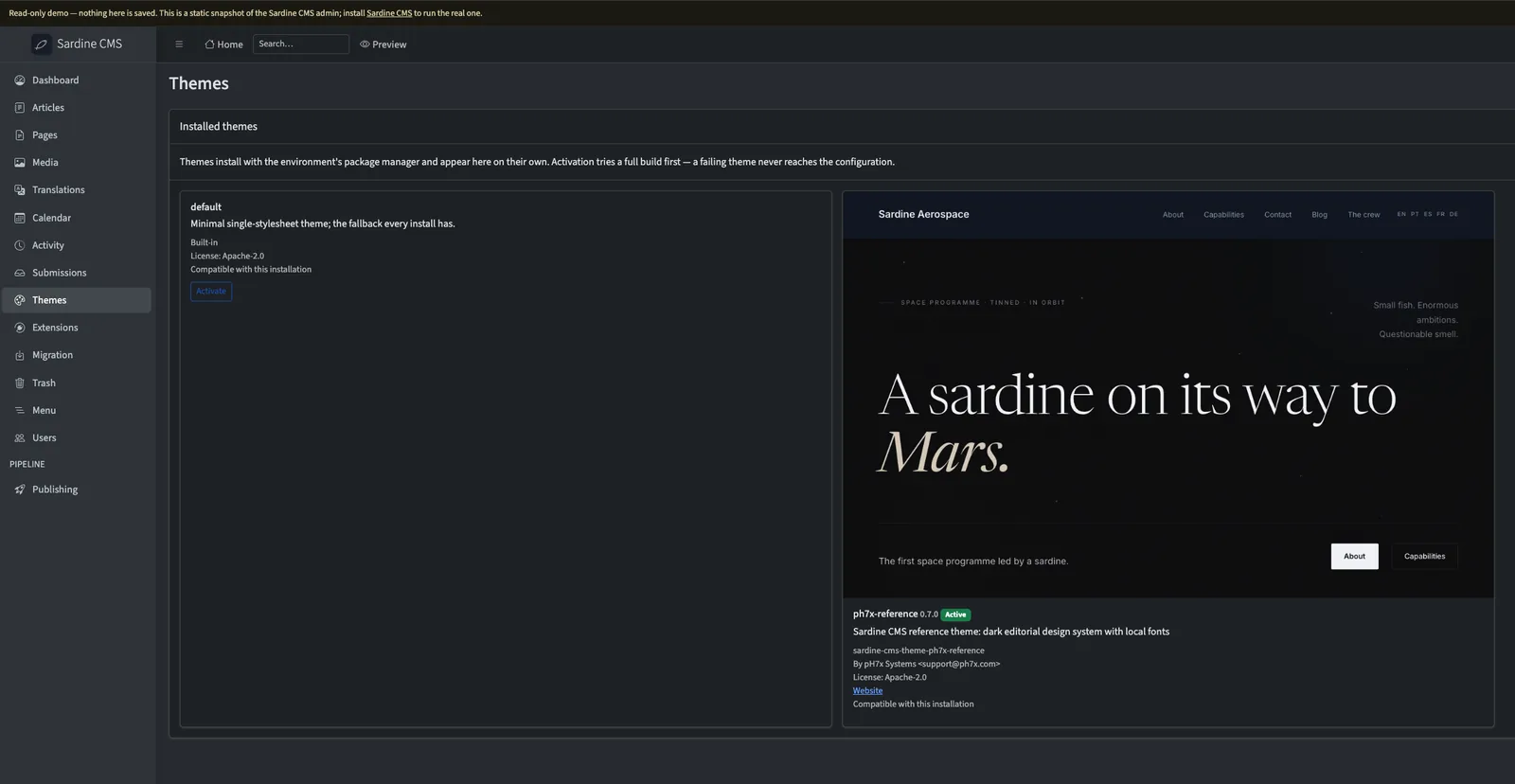
The admin panel
Editors work in a real browser admin, not a config file. It carries per-entry SEO, forms backed by an official endpoint, and signed external preview links so a draft can be shown to someone without an account.
Themes and extensions are managed from the panel, declaratively. It discovers what is installed and shows the metadata, a screenshot and a compatibility verdict without running any code during discovery. Activation is transactional: a test build has to pass before the configuration changes, so a broken extension is a visible, reversible state, never a dead panel. Extensions carry a versioned settings schema and an optional health check, settings are validated before they are saved, secret values name an environment variable rather than being stored, and a theme is a verifiable contract of fifteen named conformance checks.
Migrating existing blogs
A full end-to-end path for WordPress WXR exports, in the CLI and the panel over the same pipeline. Nothing is written before you have seen what will happen: a dry-run report states an explicit fidelity percentage and lists one line per item that cannot be migrated, so nothing is dropped in silence. Re-import is idempotent, authors, categories and tags are mapped, referenced media is downloaded, and redirects from the old URLs are generated automatically.
Install
Requires Python 3.12 or newer. The cms command comes from a single package:
pip install sardine-cms-cliThat pulls in the core, the validator and the builder. The reference theme and the browser admin are separate, optional packages. Database engines other than SQLite are optional extras of the core:
pip install "sardine-cms-core[postgres]" # or [mysql], [mssql]Quickstart
One command goes from nothing to a browsable seven-language site:
pip install sardine-cms-cli sardine-cms-theme-ph7x-reference
cms demo
There is a Docker path too: docker compose up brings up the admin panel with a seeded site and no Python setup, printing a generated admin password on first run. To start a real project instead, cms init my-site --theme ph7x-reference, then cms seed, cms build and cms preview.
How it is organised
The workspace is a set of focused packages: cms-core for the content model and translation states, cms-validation for the rules, cms-build for the deterministic generator and themes, and cms-cli for the cms command, plus a reference theme and the browser admin. Design lives at the theme level: bring your own.
How to contribute
The repository is open to contributions. Read CONTRIBUTING.md and CODE_OF_CONDUCT.md, pick an issue tagged good first issue, and open a pull request. Bug reports and documentation fixes are as welcome as code. Security issues follow SECURITY.md, in private.
You can see it running on the live demo, a fictional aerospace company in seven languages, rebuilt and deployed on every merge.